
Office Desk Posture Guide for Neck and Back Comfort (Office Desk Posture)
%20(1).svg)
.svg)

Office Desk Posture Guide for Neck and Back Comfort (Office Desk Posture)
If your neck or back feels tight after a day at the computer, you’re not alone—especially for people working in the North Sydney CBD. This office desk posture guide is for office workers and home-based workers who want practical ways to improve comfort without overthinking it. Milsons Point Health in Milsons Point supports people across the Lower North Shore, including Kirribilli and North Sydney, with personalised care and workplace-friendly strategies.
What is “office desk posture”?
Office desk posture simply means how you sit (or stand), where your screen and keyboard are placed, and how long you stay in one position. It’s less about finding one “perfect posture” and more about reducing strain and increasing variety through the day.
Most discomfort from desk work is linked to sustained positions and repetitive tasks. Even a setup that looks “correct” can feel uncomfortable if you don’t move much, you’re under pressure, or your workload is high.
A practical goal is to set up your desk so you can work with:
- A relaxed neck and shoulders
- Support through your mid-back and low back
- Comfortable arm position for typing and mouse use
- Regular posture changes (because movement matters)
.webp)
Common signs and symptoms
Desk-related symptoms vary and don’t confirm a diagnosis on their own. If symptoms persist or affect daily activities, a professional assessment can help.
Common signs people notice include:
- Neck stiffness or aching that builds through the day
- Headaches that seem linked to screen time or sustained neck position
- Shoulder or upper back tightness (often around the shoulder blades)
- Low back stiffness after sitting, especially when standing up
- Pins and needles or numbness in an arm or hand (especially after long typing sessions)
- Wrist, forearm, or elbow discomfort with mouse/keyboard use
- Symptoms that improve on weekends or holidays, then return during busy work weeks
If you’re unsure what’s driving your symptoms, it’s reasonable to seek guidance rather than guessing.
Why does this happen?
Most desk-related discomfort is influenced by a mix of setup, workload, habits, and recovery. It’s rarely just one thing.
Sustained positions and low movement
Your body generally tolerates a position best when you don’t stay there for too long. Holding your head slightly forward, rounding your mid-back, or sitting without support may become irritating over hours—even if it feels fine for the first 101010 minutes.
Screen and input device placement
Common setup issues include:
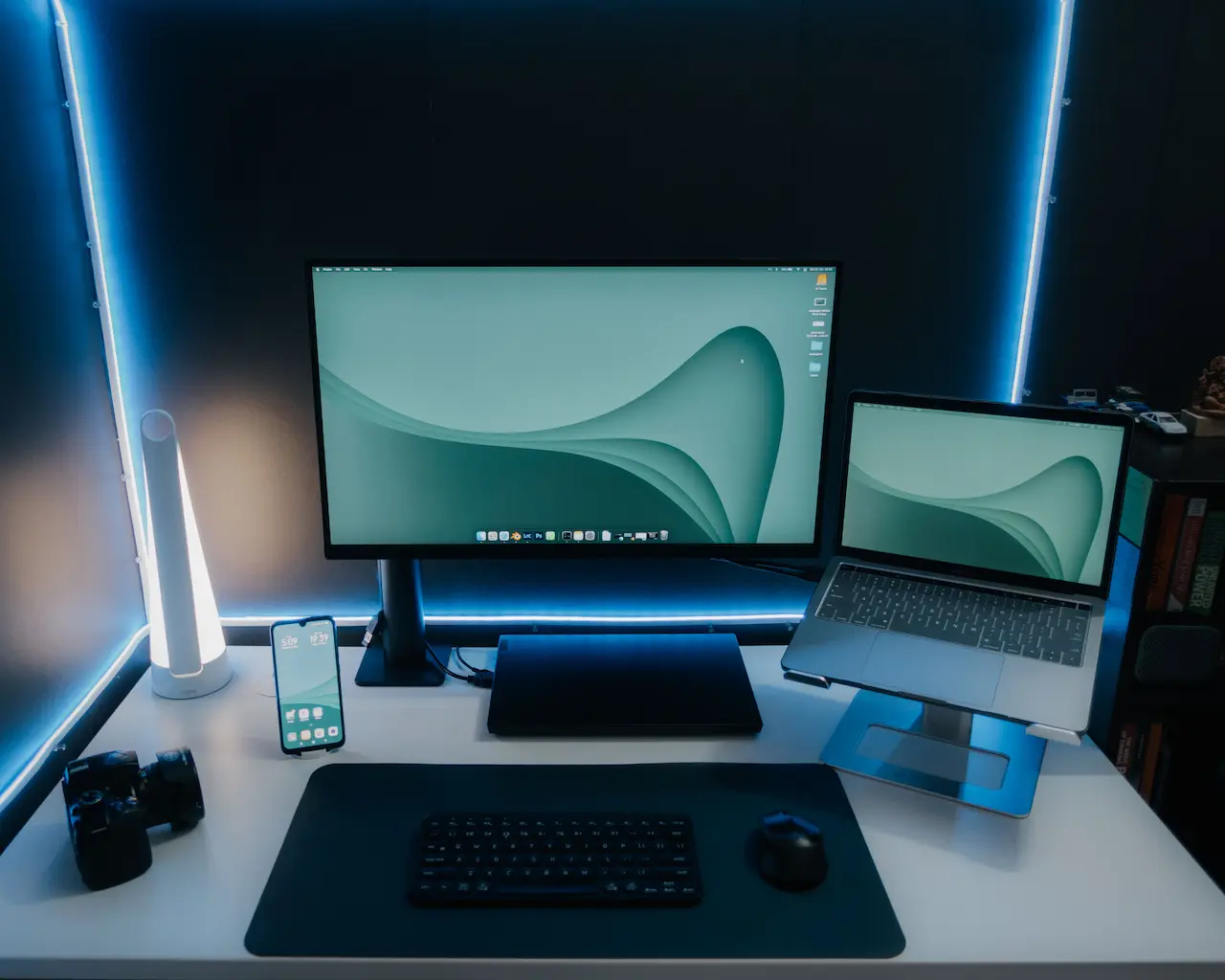
- Screen too low or too far away (often leads to a forward head position)
- Laptop-only setup for long periods (forces a compromise between screen height and keyboard position)
- Mouse too far away (encourages shoulder tension and reaching)
Workload and pacing
High-volume tasks, deadlines, and fewer breaks can increase muscle tension and reduce movement variety. Stress can also affect sleep and recovery, which may change how your body responds to load.
Strength, capacity, and previous injuries
If you’ve had prior neck/back issues, or you’re returning to work after a flare-up, your current tolerance may be lower. Many people also have reduced general strength or fitness during busy periods, which can make long workdays feel harder on the body.
Office desk posture and ergonomic assessment for offices
If you’re trying to improve comfort at work, an ergonomic assessment for offices can help identify the simplest changes with the biggest practical impact. It’s not about perfection—it’s about making your setup fit your body, tasks, and work environment.
What an ergonomic assessment may include
Depending on your needs (and whether it’s for an individual or a whole office), an assessment may involve:
- Reviewing chair height, back support, and how your feet contact the floor
- Checking screen height/distance and how you use multiple monitors
- Assessing keyboard/mouse position and how your shoulders and wrists sit during work
- Looking at your phone habits (cradling, long calls, frequent scrolling)
- Identifying task patterns (long meetings, intensive typing blocks, hot-desking)
- Suggesting break strategies and movement “anchors” that fit your calendar
For teams in North Sydney, recommendations often need to work with hot-desking, laptop-based setups, and shared spaces.
A simple desk setup checklist (example)
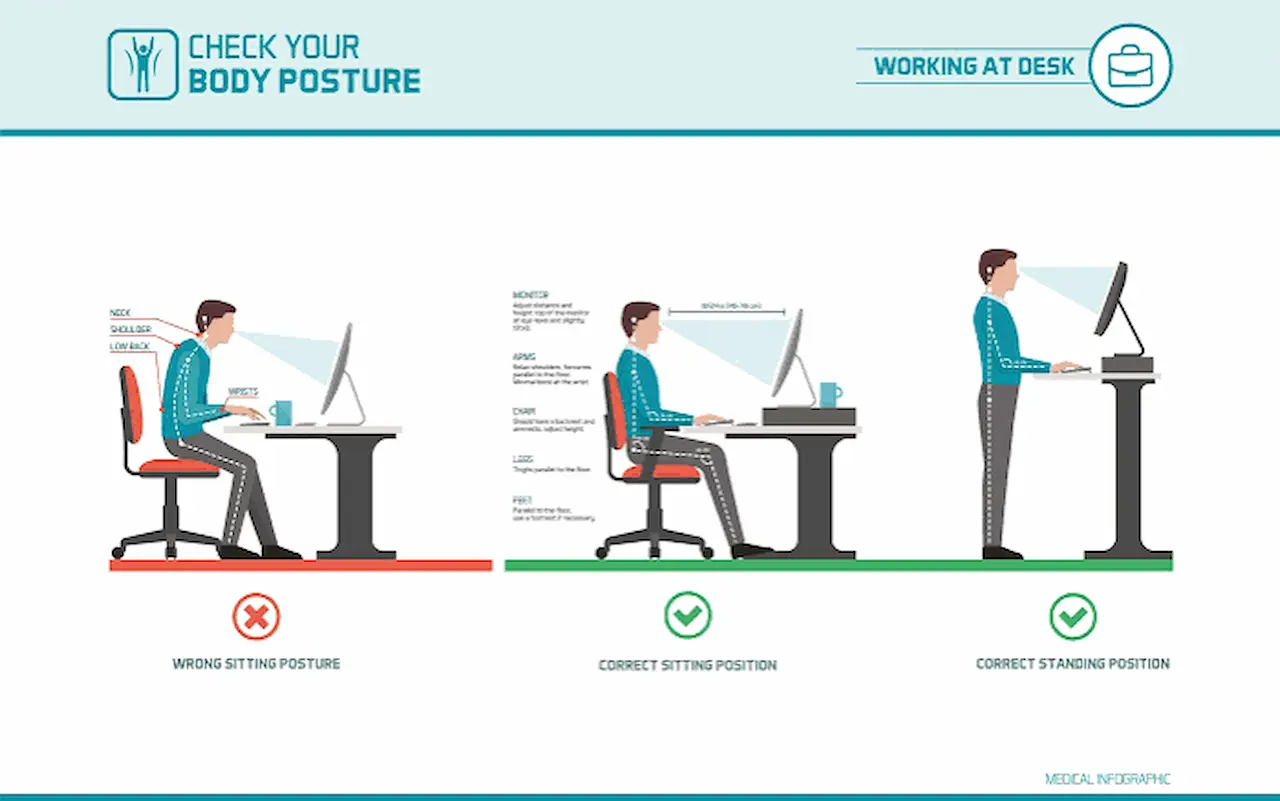
As a starting point, many people find this basic checklist helpful:
- Sit back in your chair so your back has support
- Keep feet supported (on the floor or a footrest)
- Place the screen so you can read without leaning forward
- Keep keyboard and mouse close so elbows stay near your sides
- Change position regularly (even small shifts count)
If you try these changes and symptoms still persist, an assessment can help tailor the details to you.
How a physiotherapist / chiropractor may help
At Milsons Point Health, we take a whole-person approach that considers your work demands, general health, and what you can realistically change. Care is individualised, and outcomes vary, but many people benefit from clear education, targeted exercise, and practical workplace adjustments.
Physiotherapy support
A physiotherapist may help by:
- Taking a detailed history (work tasks, symptom triggers, commute, activity levels)
- Assessing movement, strength, joint mobility, and nerve sensitivity when relevant
- Explaining contributing factors in plain language
- Building a targeted exercise plan to improve tolerance (neck, upper back, trunk, hips)
- Advising on pacing and gradual return to activities that have become sensitive
Chiropractic support (when appropriate)
A chiropractor may assist with assessment and management of spinal and joint function where it relates to your symptoms and movement goals. This may include education, exercise advice, and hands-on care when appropriate.
Exercise physiology and occupational health input
For people who need broader conditioning or workplace-focussed planning, exercise physiology and occupational health services can support:
- Progressive strength and capacity building for long workdays
- Strategies to reduce flare-ups during busy periods
- Workplace education and ergonomic assessment for offices, including practical recommendations you can implement
If helpful (and with your consent), care can be coordinated so your plan is consistent across providers.
Self-care tips that may help
These general tips are designed to be low-risk for most people, but they won’t suit everyone. Seek personalised advice if symptoms are severe, worsening, or persistent.
- Change position every 30–60 minutes; stand, walk, or do gentle mobility for 1–2 minutes
- Use a separate keyboard and mouse if you work on a laptop for long periods; consider raising the screen to reduce neck strain
- Keep frequently used items within easy reach to reduce repetitive twisting and reaching
- Relax your shoulders and soften your grip on the mouse; take micro-pauses between tasks
- Add a short, consistent strength routine 222 times per week (for example: rows, shoulder blade control, hip hinges, and trunk work), scaled to your level
- Gradually increase activity outside work (walking breaks, light gym work, or sport) if you’ve become less active
If a change makes symptoms clearly worse, stop and get guidance rather than forcing it.
When to seek help
Consider seeing a health professional if:
- Symptoms last more than 1–2 weeks or keep recurring
- Pain affects sleep, concentration, or daily activities
- You notice pins and needles, numbness, or weakness in an arm or hand
- Headaches are frequent or increasing
- You’ve tried simple desk changes but can’t find a sustainable routine
Seek urgent medical care if you experience red flags such as:
- New or progressive weakness, significant numbness, or coordination changes
- Changes in bowel or bladder function, or saddle numbness
- Severe pain after trauma (fall, accident) or feeling generally unwell with fever and severe symptoms
If you’re unsure, starting with a GP or an allied health assessment is a reasonable next step.
Why choose a local clinician in Milsons Point?
When you’re managing symptoms around a full work week, convenience helps you stay consistent. Our clinic is based in Milsons Point, close to Kirribilli and North Sydney, and we regularly see people who work in the North Sydney CBD and across the Lower North Shore.
Milsons Point Health offers:
- One-on-one appointments with clear explanations and practical next steps
- A multidisciplinary team (physiotherapy, chiropractic, exercise physiology, occupational health) for coordinated support when appropriate
- Ergonomic assessment for offices and individual workstation advice that considers real-world constraints like hot-desking and laptop use
Book an appointment
If you’d like help improving office desk posture, reducing neck or back discomfort, or arranging an ergonomic assessment for offices, contact Milsons Point Health in Milsons Point. We can help you choose the most suitable appointment type and create a plan that fits your work and life.


.jpg)

Ready to book an appointment with us?
Visit our Online Bookings page where you can see what times are available and book appointments with all our great Physiotherapists and Chiropractors in Milsons Point. You can also find us and book appointments via HotDoc and HealthEngine.
Rather speak to someone? Simply give us a call on 02 9190 7654 and our friendly receptionists can help you find a time that suits, and answer any questions you might have.


